What is “Show in Call”?
When a call is initiated between the door station and the indoor monitor (either from the door station to the indoor monitor or from the indoor monitor to the door station), and you prefer the indoor monitor to display the image from an added IPC instead of the door station's image, while still maintaining two-way communication with the door station and retaining the ability to unlock the door, you can use the "Show in Call" function under "IPC." This document provides instructions on how to use this function.
Call from the door station to the indoor monitor
- Go to Advanced-IPC-Add, fill in Number, Name, RTSP URL, and enable the "Show in call" option.
- Number: The ID of the door station(available in the RemoteUpgrade Tool).
- Name: The name of IPC.
- RTSP URL: The RTSP URL of IPC.
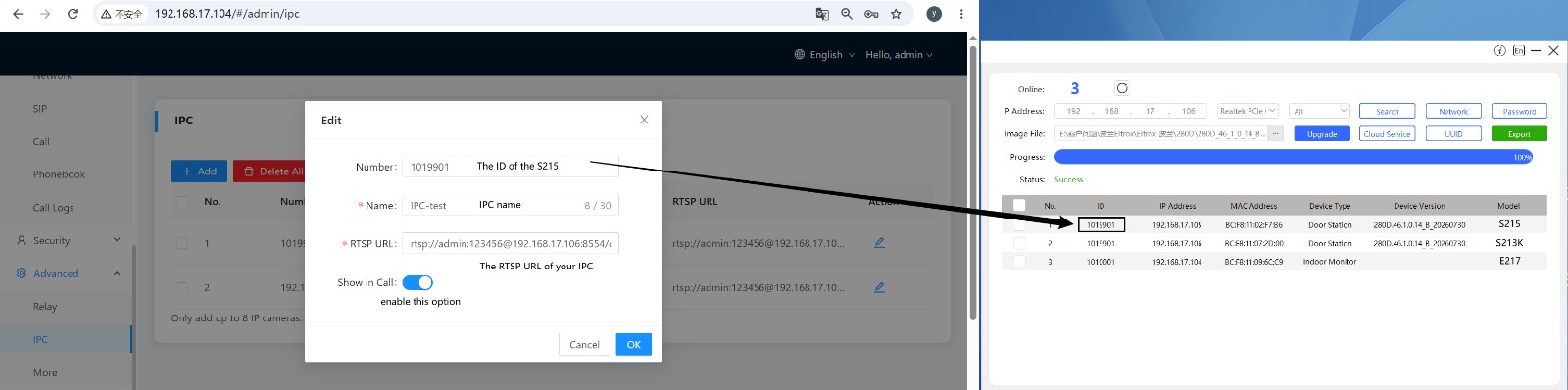
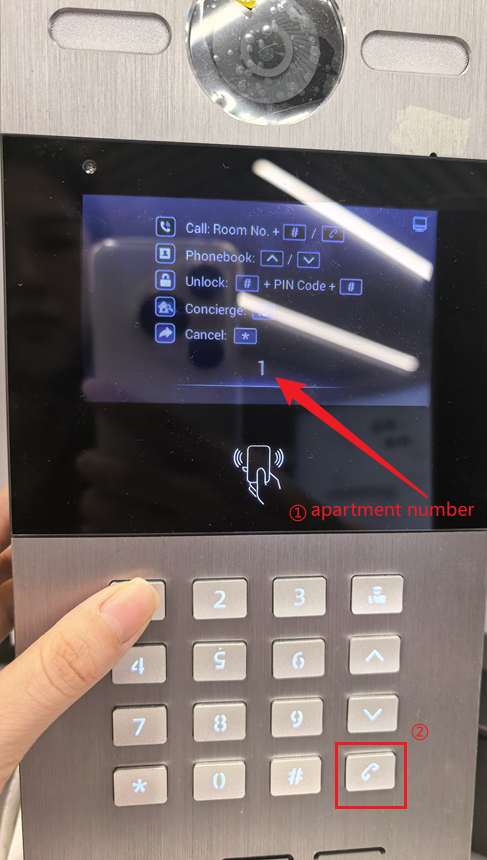
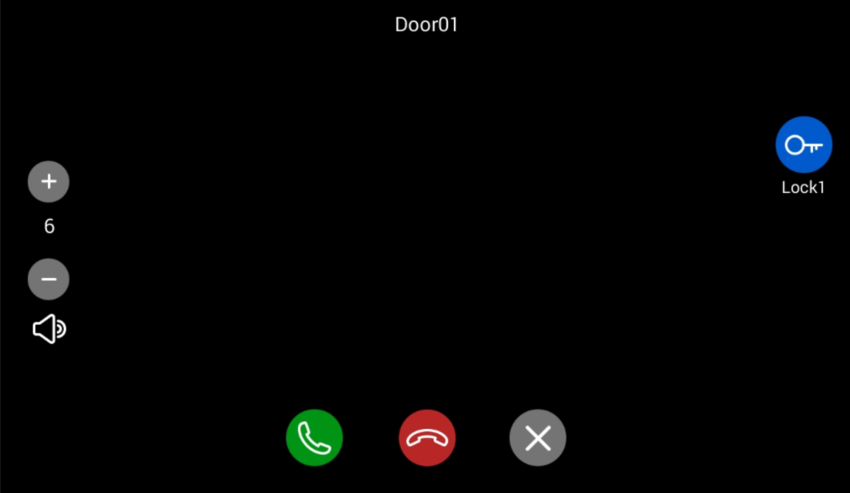
- By entering the indoor monitor's apartment number on the door station to call the indoor monitor, the IPC image will be displayed in the indoor monitor, while communication with the door station and door unlock can still be performed.
Call from the indoor monitor to the door station
- Go to Advanced-IPC-Add, fill in Number, Name, RTSP URL, and enable the "Show in call" option.
- Number: The IP address of the door station.
- Name: The name of IPC.
- RTSP URL: The RTSP URL of IPC.
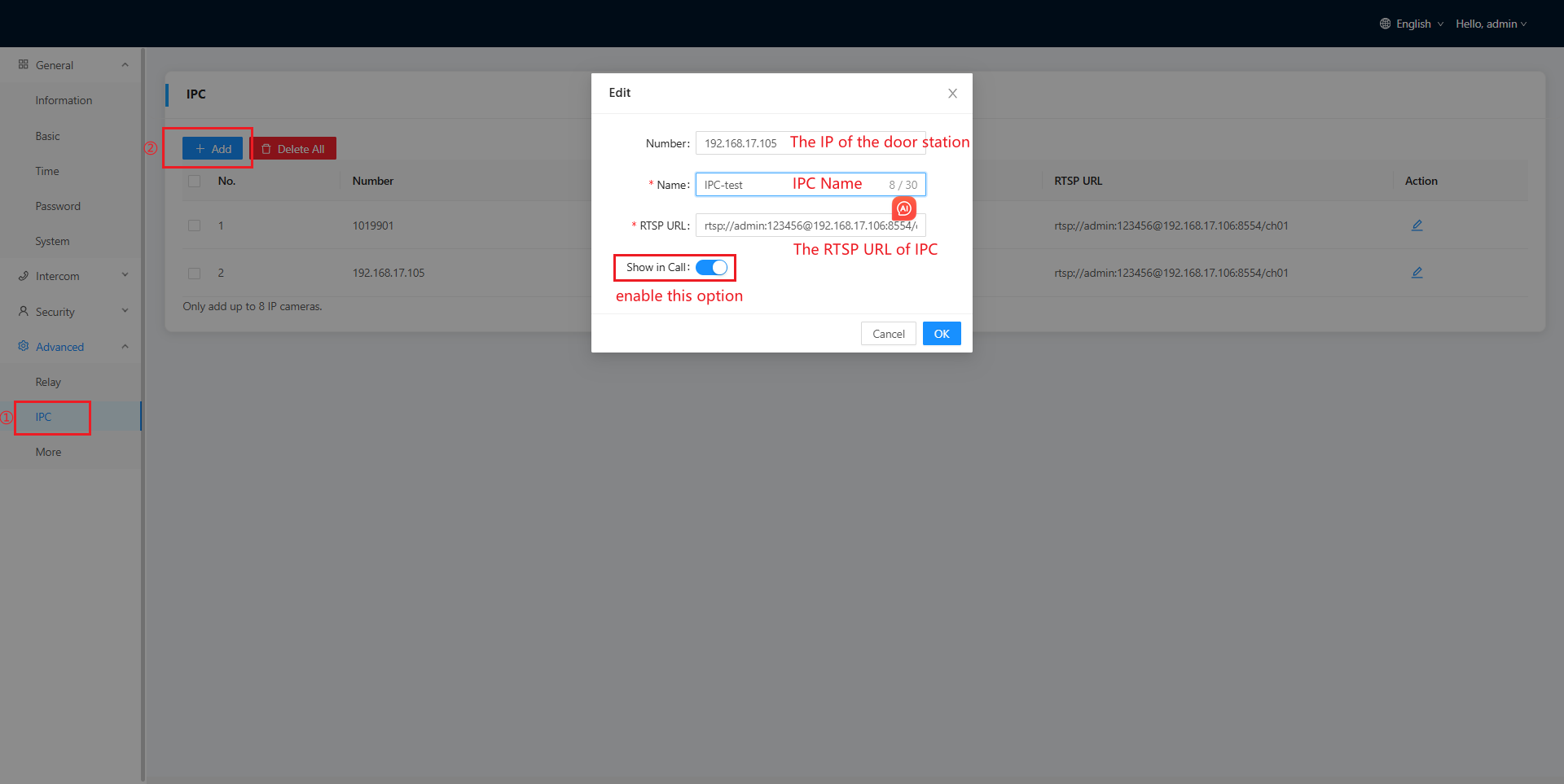
- Go to Dial, input the IP of the door station through the keyboard and call it.
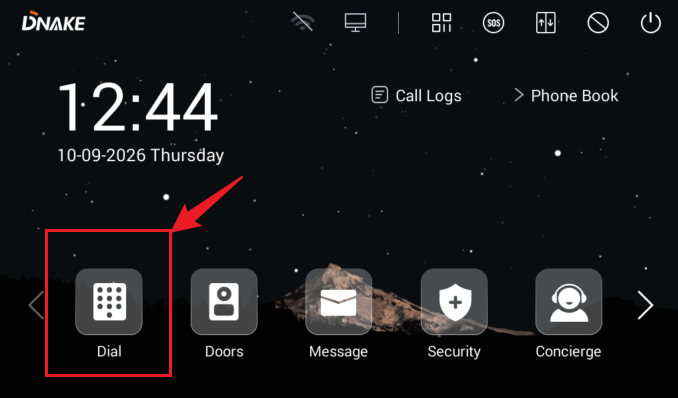
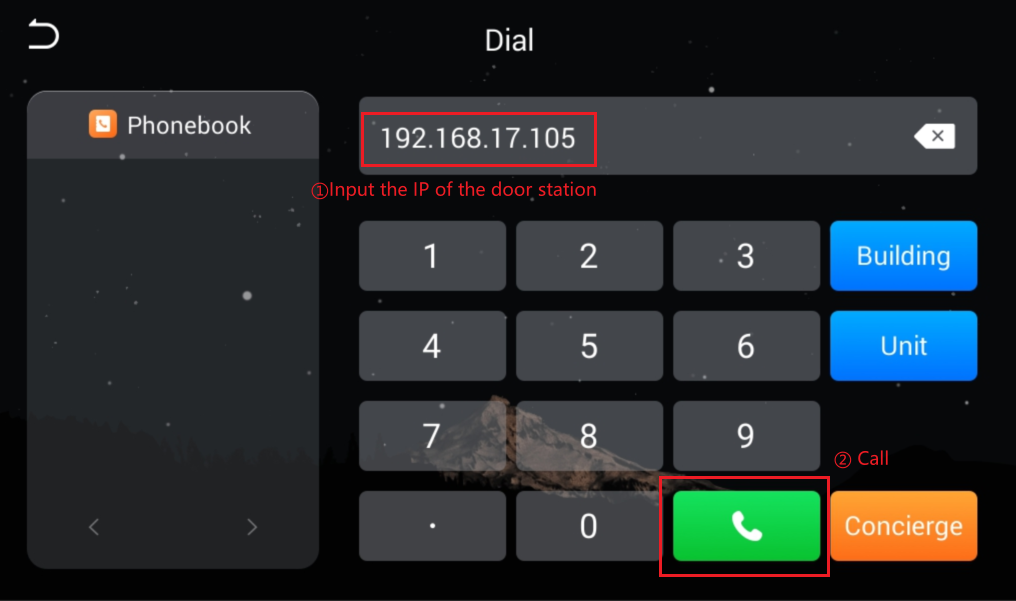
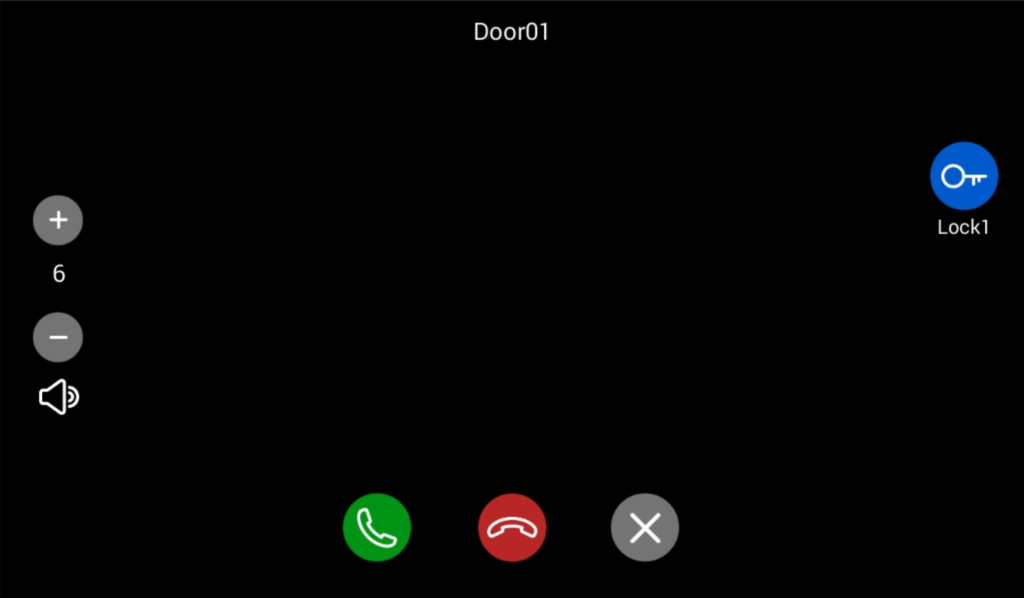
- Then you can see the image of the IPC, but you could talk with your door station and you can unlock the door station.
Was this article helpful?
That’s Great!
Thank you for your feedback
Sorry! We couldn't be helpful
Thank you for your feedback
Feedback sent
We appreciate your effort and will try to fix the article