To add a second Kit to the same account in the Smart Pro app, follow the steps below.
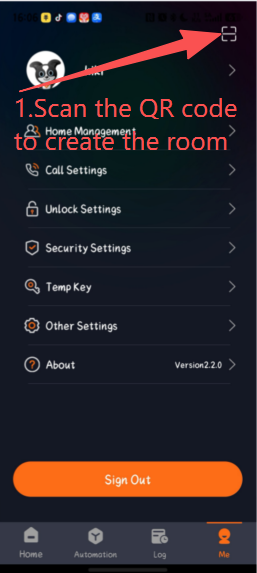
1.On the Me page, tap the scan icon in the upper-right corner and scan the first QR code on the device to create a room.
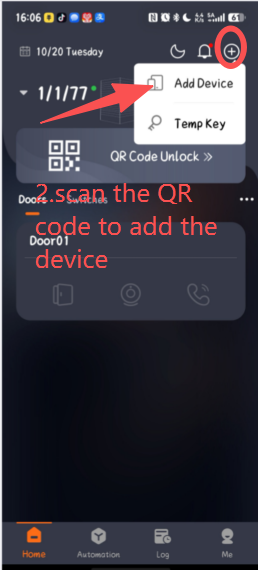
2. After creating the room, return to the Home page, tap the plus icon in the upper-right corner, select Add Device, and scan the device's QR code to add it.
Was this article helpful?
That’s Great!
Thank you for your feedback
Sorry! We couldn't be helpful
Thank you for your feedback
Feedback sent
We appreciate your effort and will try to fix the article