Prerequisites
- The two E211 indoor monitors and troubleshooting PC are in the same LAN.
- Get device IP address (via DNAKE Remote Upgrade Tool)
- Log in to E211 web interface (default: admin / 123456)
Call Each Other between Two E211s Troubleshooting Steps
- Access the E211 web interface, go to Intercom > Phonebook, check the SIP contact’s Address format and Type; ensure Type is set to SIP address, and the address follows the correct format:
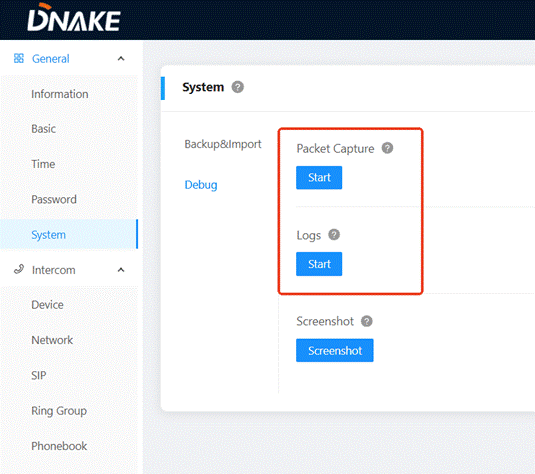
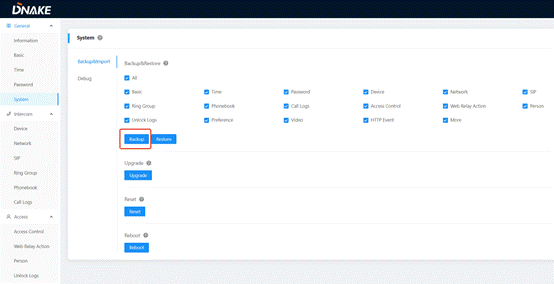
- If all steps are completed and the issue persists, collect E217 firmware version, SIP settings, Phonebook settings, logs, packets(Or provide system backup), then contact DNAKE technical support.
Was this article helpful?
That’s Great!
Thank you for your feedback
Sorry! We couldn't be helpful
Thank you for your feedback
Feedback sent
We appreciate your effort and will try to fix the article