Specific Problem Phenomenon
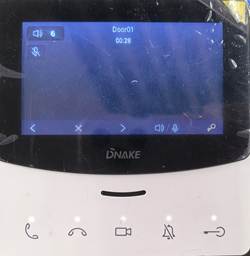
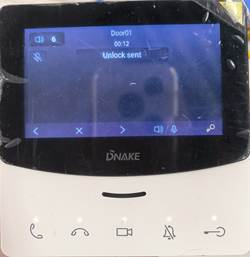
When E214E attempts to preview the door station (all the door stations are the same; this document uses S615 as an example), it encounters a black screen and cannot preview the live view, but it is still possible to unlock the door station.
Prerequisites
- S615 and troubleshooting PC are in the same LAN
- Get S615 IP (via About System on S615 or DNAKE Remote Upgrade Tool)
- Log in to S615 web interface (default: admin / 123456)
E214E Preview Failure Troubleshooting Steps
- Access the S615 web interface, go to General > Basic check the resolution of the S615.
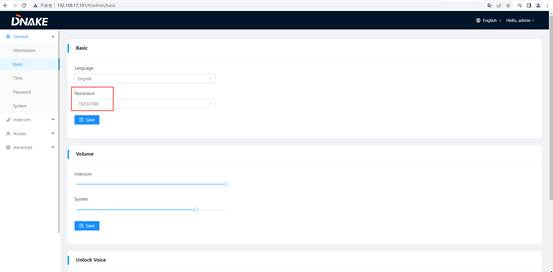
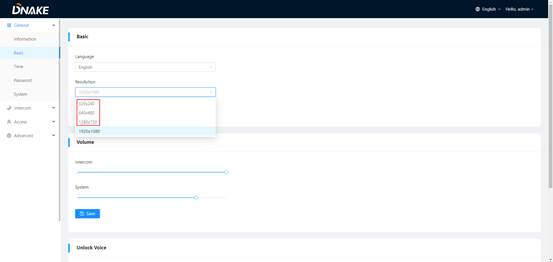
- Due to the hardware limitations of E214E, it is insufficient to support a resolution of 1920 x 1080 for previewing. If the resolution of S615 is 1920 x 1080, please change it to any other resolution that is smaller than this one and check again.
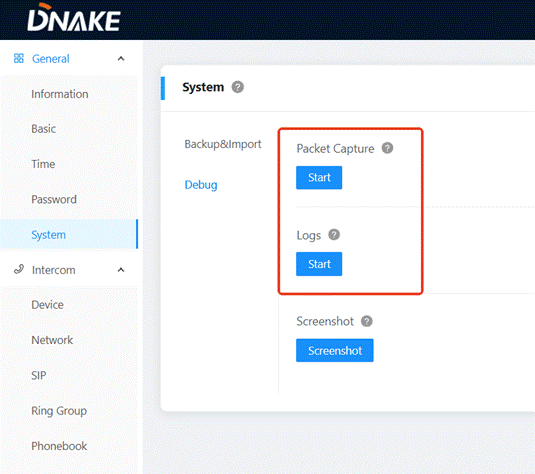
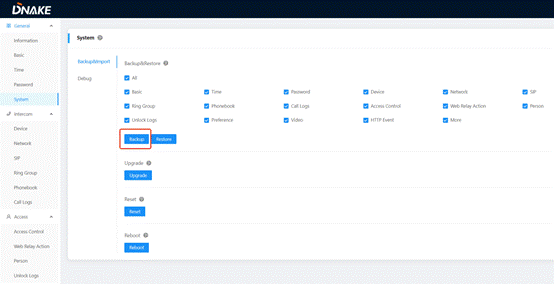
- If all steps are completed and the issue persists, collect E214E firmware version, the video of the problem, logs, packets(Or provide system backup), then contact DNAKE technical support.
Was this article helpful?
That’s Great!
Thank you for your feedback
Sorry! We couldn't be helpful
Thank you for your feedback
Feedback sent
We appreciate your effort and will try to fix the article