2-wire Apartment System Failed to Obtain DHCP Troubleshooting Steps
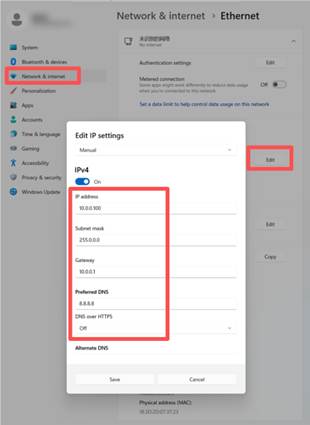
- The default network segment for the 2-wire apartment system devices in the previous version are 10.X.X.X. Configure your PC with a static IP address in the 10.X.X.X segment to ensure it can communicate with the device.
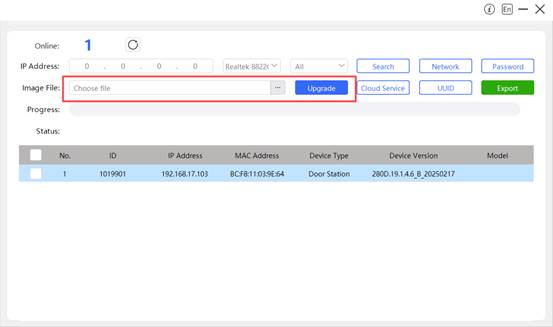
- Use the RemoteUpgrade Tool to update the device to the latest firmware version. If the latest firmware version is not available, contact Technical Support to obtain it.
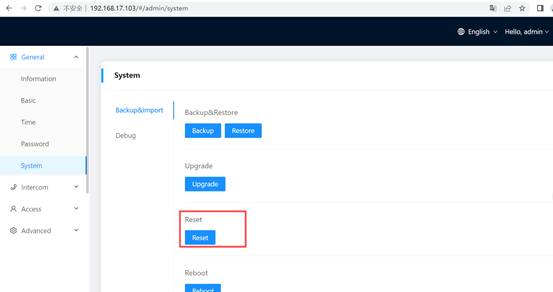
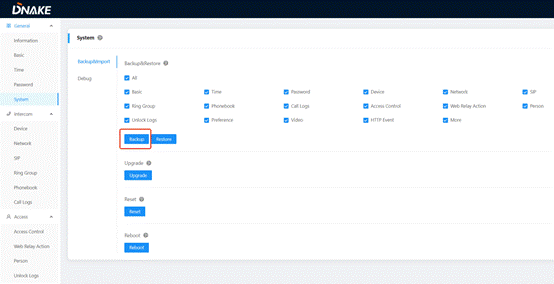
- After the upgrade, go to General-System-Backup&Import-Reset and perform a reset.
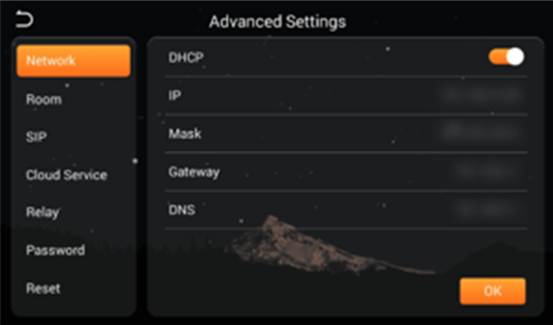
- For the door station, the device will automatically enable DHCP after reboot. For the indoor monitor, you could go to Setup-Network and enable DHCP.
- Verify the device has obtained an IP address from the DHCP server and test network connectivity.
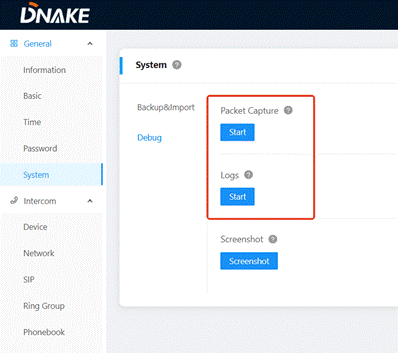
- If all steps are completed and the issue persists, collect the model name, firmware version, logs, packets(Or provide system backup), then contact DNAKE technical support.
Was this article helpful?
That’s Great!
Thank you for your feedback
Sorry! We couldn't be helpful
Thank you for your feedback
Feedback sent
We appreciate your effort and will try to fix the article