H618 Pro only allows the installation of APK format files and does not support XAPK format files currently. If you cannot successfully upload an APK file and install a third-party app on the web page of H618 Pro, you can first check if the APK file contains multiple APK files. If so, it cannot be installed through the web page and can only be installed by entering commands on the ADB.
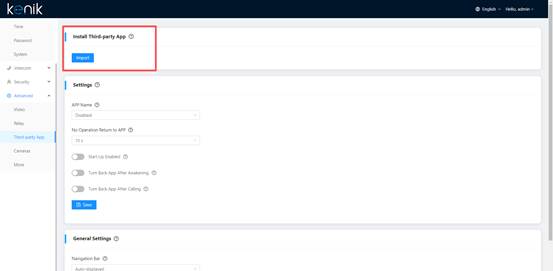
How to confirm if there are multiple APK files in the APK file?
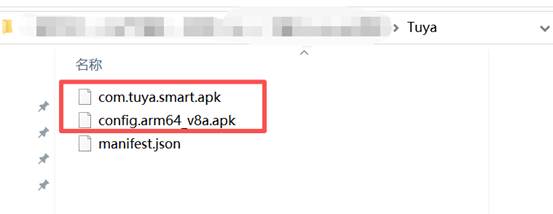
- Rename the Tuya.apk file to Tuya.zip, and then extract it to obtain the Tuya folder.
- Then you can see how many APK files are contained in the Tuya folder.
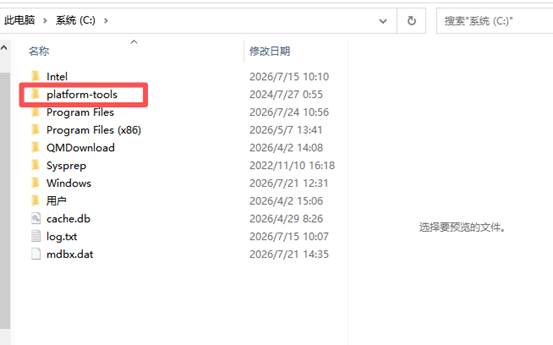
How to install the adb tool?
- Download the "platform-tools-latest-windows.zip" file and extract the folder to the C drive directory.
- Copy the Folder path and paste it into the variable environment, for example: C:\platform-tools
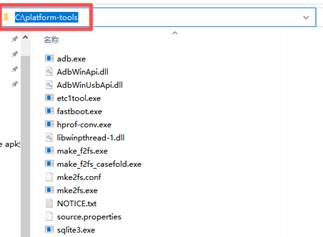
- Go to My computer -> Properties -> Advanced system settings -> Environment variables -> System variables -> Path -> Edit -> Add C:\platform-tools -> Apply.
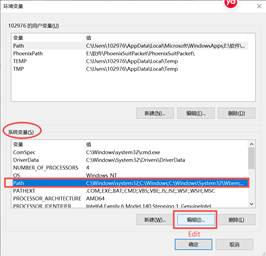
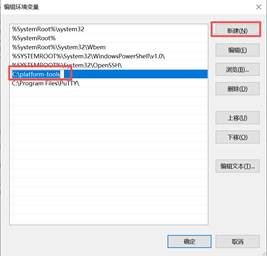
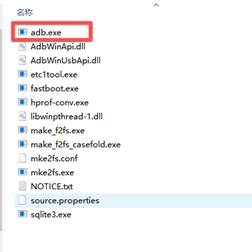
- Locate the adb.exe file within the platform-tools folder and run it.
- In the cmd page, enter "adb devices" and if it displays complete information, it indicates that adb has been enabled.
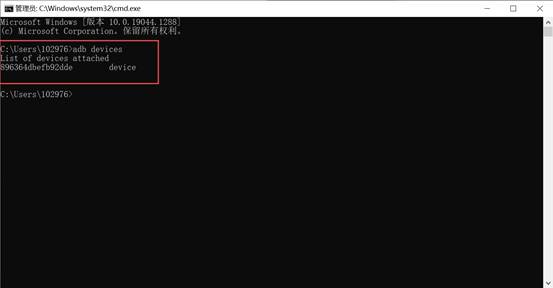
How to install the APK file through adb command?
- Connect the USB cable to the H618 Pro. (Need to connect the PoE cable.)
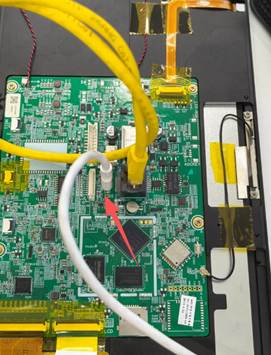
- Open the Tuya folder.
- Enter "cmd" in the folder address bar and press the Enter key.
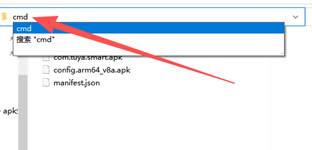
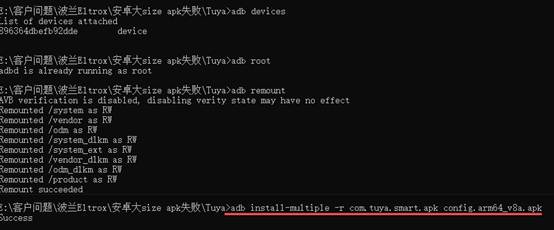
- Install the apk by following the commands below:
adb root
adb remount
adb install-multiple -r com.tuya.smart.apk config.arm64_v8a.apk
Was this article helpful?
That’s Great!
Thank you for your feedback
Sorry! We couldn't be helpful
Thank you for your feedback
Feedback sent
We appreciate your effort and will try to fix the article