If you need multiple indoor monitors in different rooms,
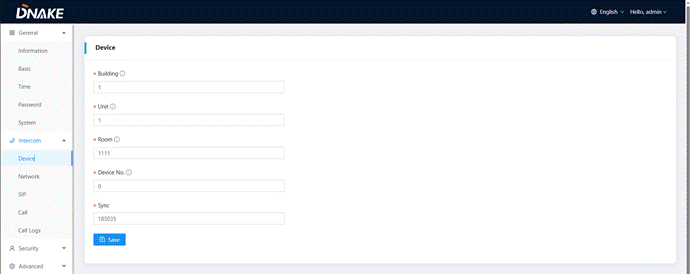
First, log in the device’s web configuration page with account (admin) and password (123456).
just keep Building, Unit, Apartment No., Sync the same as other Indoor Monitors, and Device number should be different. The Device number can be from 0 to 9.
But you must have one Indoor Monitor’s Device number is 0 and keep it online because 0 here stands for the main one, the others are sub-one
Was this article helpful?
That’s Great!
Thank you for your feedback
Sorry! We couldn't be helpful
Thank you for your feedback
Feedback sent
We appreciate your effort and will try to fix the article