With using custom language file can allow you to correct some language translation or import a new language for a device.
In device WEB page, go to General->Basic->Language, click Add Language button. 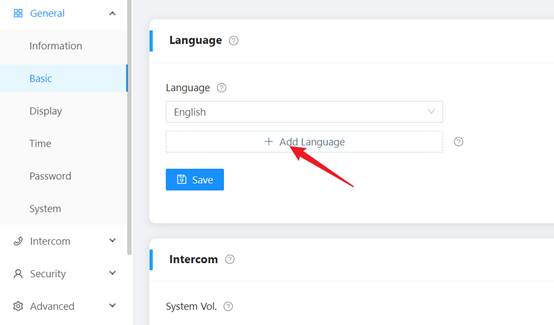
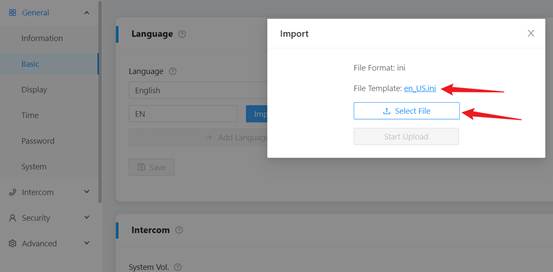
Set Language Name, then click Import File to import the language file, you can download the File Template and modify it to your request version.
Was this article helpful?
That’s Great!
Thank you for your feedback
Sorry! We couldn't be helpful
Thank you for your feedback
Feedback sent
We appreciate your effort and will try to fix the article