First, log in the device’s web configuration page with account (admin) and password (123456).
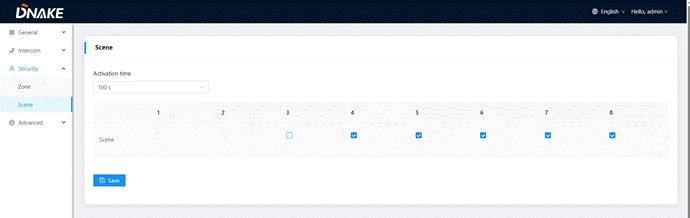
Then, access the “Security”--->"Scene", Scene column is for security sensors’ trigger conditions
Activation Time: | Only after activation time, will scene be activated. Activation time is only effective for Normal type (NONE, 30s, 40s, 60s, 100s, and 300s); |
Mode: | Tick to link sensors to scene; |
Was this article helpful?
That’s Great!
Thank you for your feedback
Sorry! We couldn't be helpful
Thank you for your feedback
Feedback sent
We appreciate your effort and will try to fix the article