First, log in the device’s web configuration page with account (admin) and password (123456).
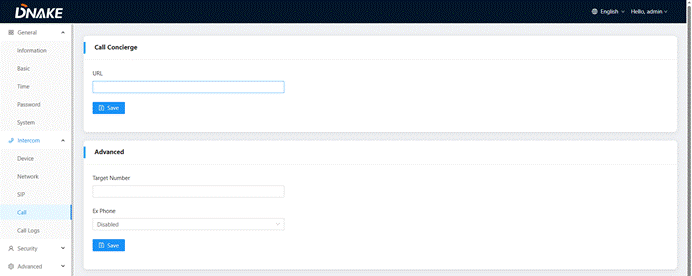
Then, access the “Intercom”--->"Call"-->"Call concierge“, fill in the call destination for concierge button or the single button on the device;
IP call: | Fill in sip: IP address, e.g., sip:192.168.68.90; |
SIP call: | Fill in sip: sip account@SIP server address:port, e.g., sip:101@192.168.68.90:5060; |
Was this article helpful?
That’s Great!
Thank you for your feedback
Sorry! We couldn't be helpful
Thank you for your feedback
Feedback sent
We appreciate your effort and will try to fix the article